User Help & Documentation
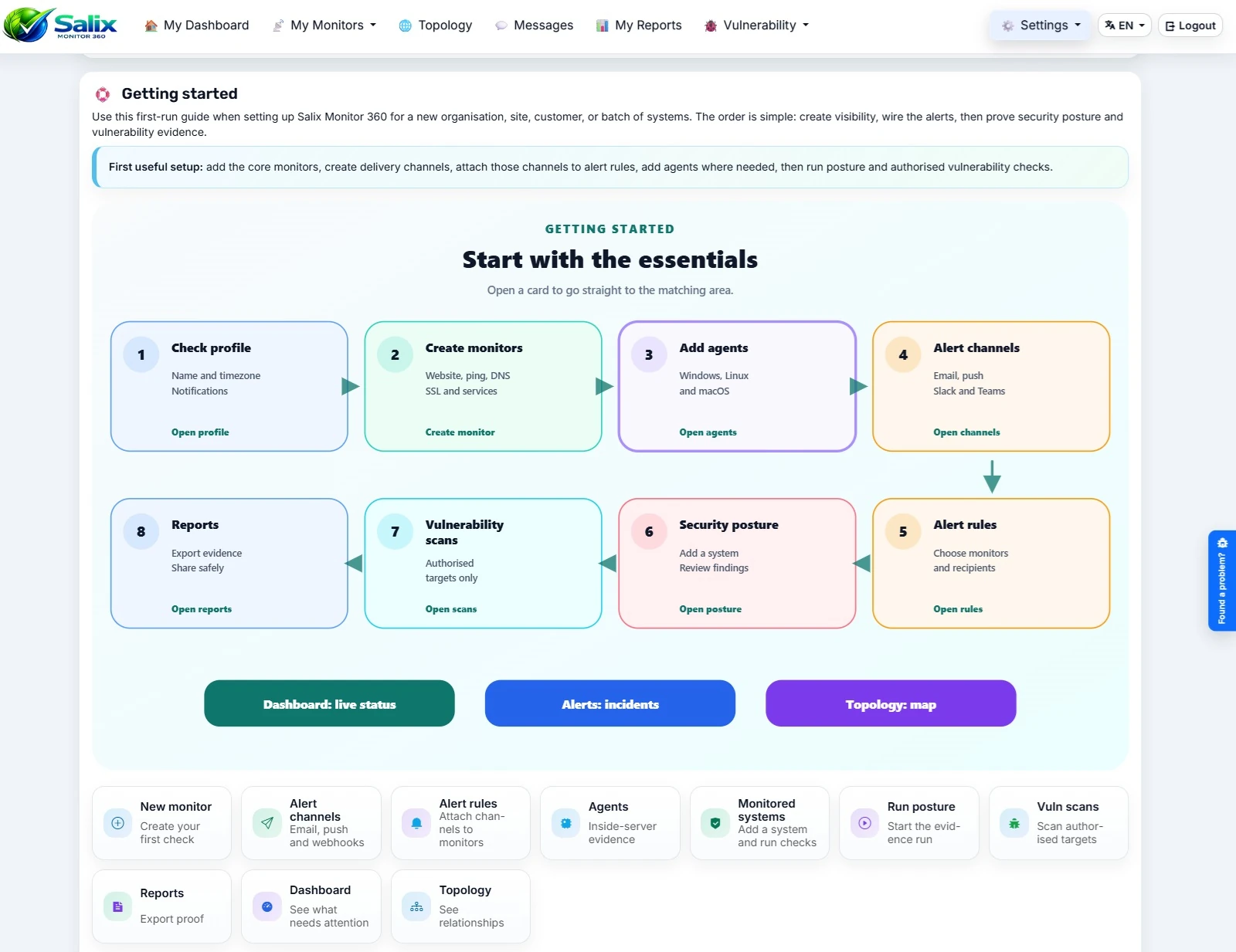
Normal users can open the app help page from the user area or go to Help & Documentation. It covers dashboards, monitors, alerts, agents, reports, security checks and account settings in a plain first-steps layout.


Help & Support
Use the free account to explore Salix Monitor 360 server monitoring software and the in-app documentation. An active paid subscription adds direct Willow Software support, more monitoring capacity and linked sub organisations.
Customers with an active paid subscription can raise tickets through the Willow Software support portal using their Salix Monitor 360 email address and current password.
Free to try. Product access is included, but direct Willow Software support starts after subscribing.
Free accounts are for trying Salix Monitor 360 and getting a feel for the app before subscribing. They are capped at 5 monitors, 2 agents and 3 user accounts.
If you need support, more capacity or linked sub organisations, upgrade from inside the Salix Monitor 360 app. Once the subscription is active, support access is enabled for your organisation.
Paid support covers normal Salix Monitor 360 service and application help. Bespoke development remains separate.
Paid subscribers receive support for the Salix Monitor 360 service and application. That includes help with app behaviour, suspected defects, billing/account access and issues affecting use of the hosted Salix Monitor 360 app.
Statutory rights: nothing in this section is intended to limit your statutory rights where they apply.
Need help with a charge? Raise a support ticket and include the invoice or transaction reference. Free account users can still use the contact form for pre-sales or account questions.
Salix Monitor 360 prices are set and billed in pounds sterling (GBP). Euro amounts shown on this website are approximate reference equivalents so customers can compare values in EUR; they are not separate EUR prices.
Salix Monitor 360 uses the European Central Bank (ECB) daily euro foreign exchange reference rate. The ECB publishes the GBP rate as the number of pounds sterling for €1, so the site divides 1 by that published GBP figure to derive the indicative EUR value for £1.
Current reference: £1 = €1.18140
ECB reference date: 2026-10-07
The site refreshes the cached reference rate automatically and uses the last successfully retrieved ECB rate if the ECB feed is temporarily unavailable.
PayPal or your card issuer may use a different exchange rate and may apply currency-conversion charges. The amount shown by PayPal or your card issuer at checkout can therefore differ from the approximate EUR figure shown on this site. View the ECB reference rates.
Salix Monitor 360 development notes, general product updates and wider Willow Software project news are published on the Willow Software blog: https://www.willowsoftware.co.uk/blog. The Salix Monitor 360 website stays focused on the product pages; the Willow Software blog is the place for ongoing build notes, release chatter and development updates.
Salix Monitor 360 includes practical help inside the app, so users and organisation admins can find the right guide without leaving their workspace. The two help pages below are the places to start when someone asks, “Where do I go next?”
Normal users can open the app help page from the user area or go to Help & Documentation. It covers dashboards, monitors, alerts, agents, reports, security checks and account settings in a plain first-steps layout.
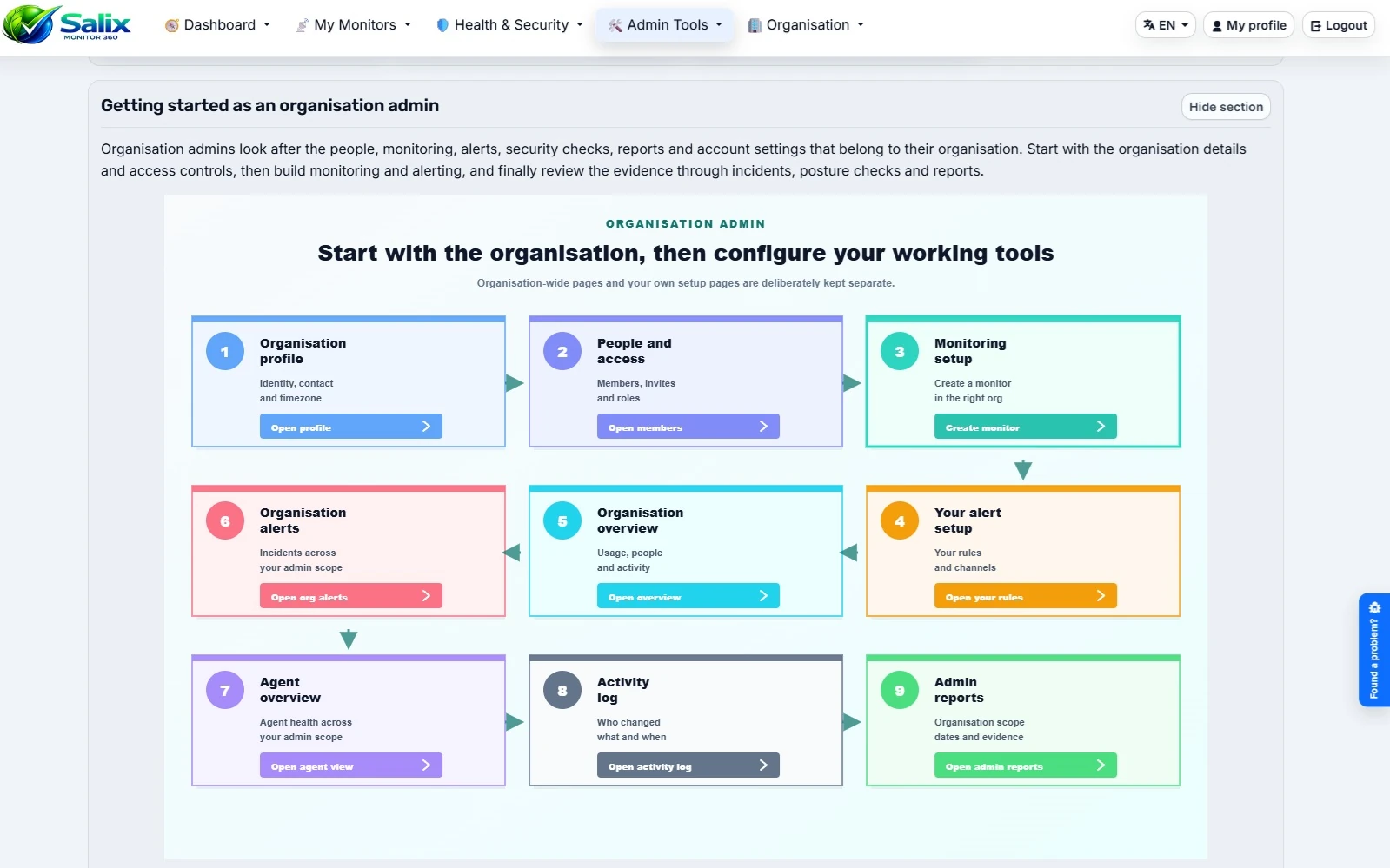
Organisation admins can open Admin help from the admin tools area, or visit /admin/help after signing in. It explains organisation setup, roles, dashboards, alerts, reports, branding, billing, members and troubleshooting.