Certificates & HTTPS
Avoid “the site is fine but the certificate expired last night” moments.
- Expiry warnings with sensible notice periods
- Checks for chain and protocol health
- Guidance on how to renew and harden


Security & trust
Salix Monitor 360 combines availability monitoring with practical security posture checks and authorised vulnerability evidence. It does not replace a full security programme, but it helps teams spot issues such as expiring certificates, weak web security settings and scan findings while the operational context is still close at hand.
Posture and vulnerability visibility
Group domains and apps into profiles then run regular checks that give you a simple score and a list of practical fixes. It is designed to cover the basics that often get forgotten when projects move on.
Avoid “the site is fine but the certificate expired last night” moments.
See if your apps are sending the right safety related headers and cookies.
Catch issues with SPF, DMARC and other DNS related settings before they cause delivery or trust problems. Salix can also summarise domain expiry and DNS drift so unexpected changes do not hide in the corner.
Salix runs focused checks and groups the evidence into a score, clear findings and practical next actions.
Extra posture summaries help show whether domains, time checks and third-party dependencies are still in a sensible state.
Keeps track of the certificates your public sites present and how long they have left.
Checks that visitors are nudged onto the secure version of your sites and kept there.
Reviews which web origins are allowed to talk to your APIs and pages.
Looks at how important cookies are marked so browsers can protect them properly.
Confirms that your sites and APIs only expose the methods they actually need.
Looks at DNS records that control how your mail is sent and received.
Keeps an eye out for public storage buckets and file shares that are too open.
Lists the external scripts loaded into your pages so you know who has a foothold.
Takes a high level look at how your APIs identify themselves and what they reveal.
Run quick vulnerability sweeps around key endpoints and certificates then track progress over time alongside your uptime and posture data.
Results are grouped by severity with clear terms descriptions and suggested fixes so they can be handed to the right teams without translation.
Agents send compact snapshots over HTTPS without exposing internal networks directly to the internet.
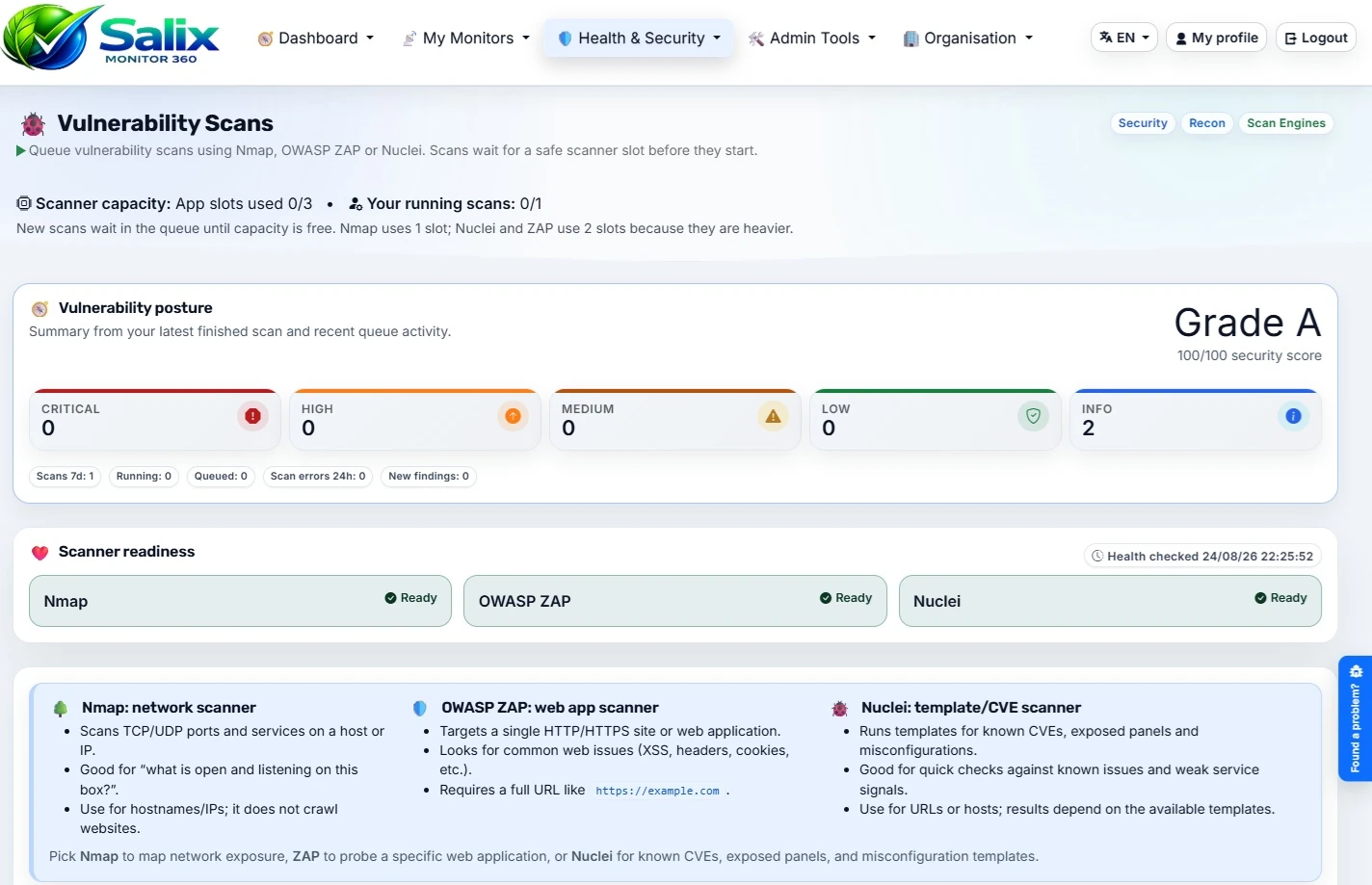
Salix Monitor 360 coordinates Nmap, Nuclei and OWASP ZAP, then normalises their findings into consistent severity, evidence and remediation details.
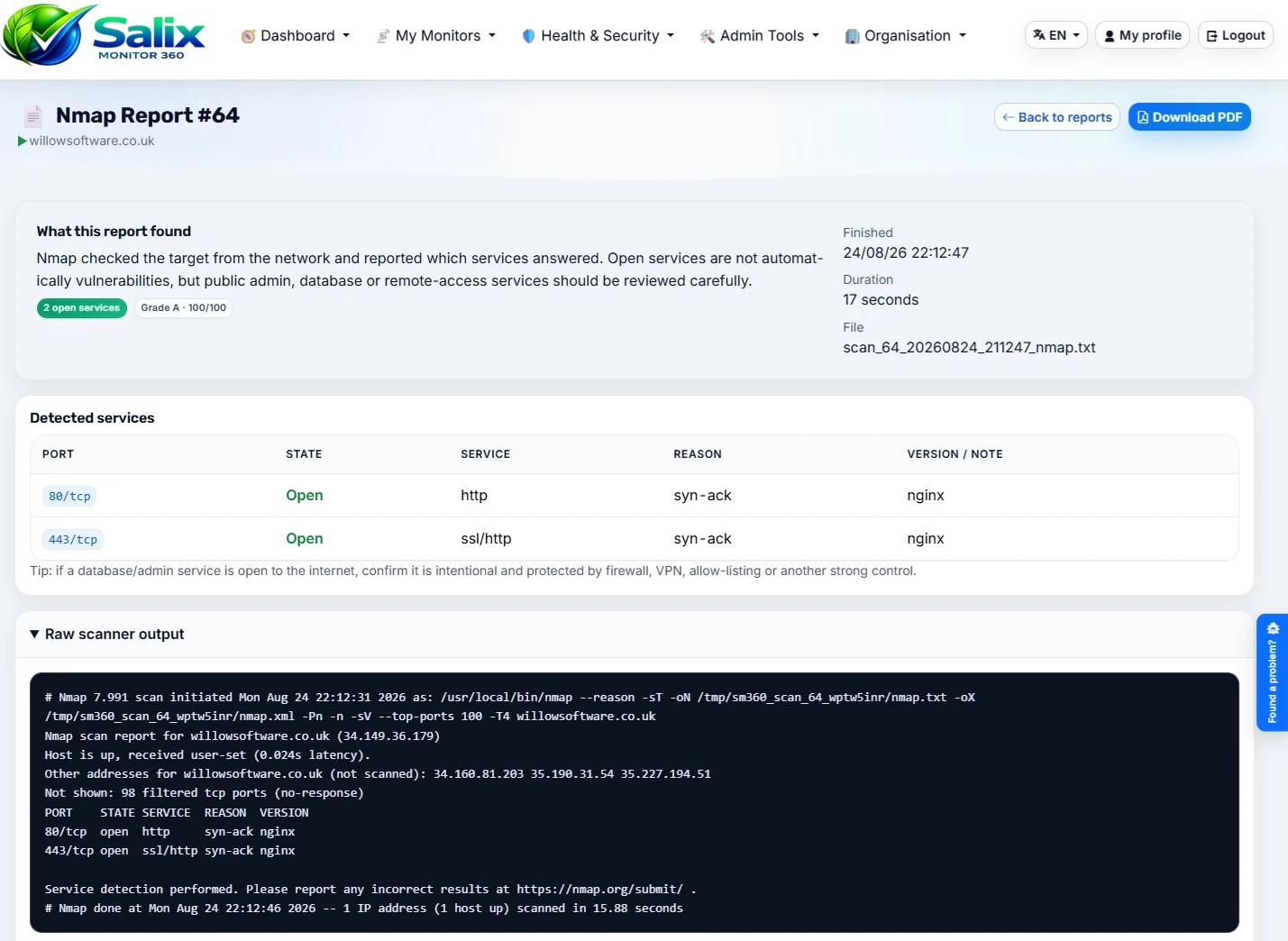
Nmap checks which ports and services are visible from the network so you can see what is really exposed to the outside world or to other parts of your infrastructure.
Used sensibly Nmap helps you keep a handle on where services appear over time instead of relying on memory and old handover notes.
Nuclei runs fast, template-driven checks against known technologies and common weaknesses so likely issues can be spotted without turning every review into a heavy penetration test.
Nuclei is useful for quick, repeatable checks where you want practical findings and trend history rather than a one-off pile of raw scan output.
OWASP ZAP crawls and exercises your web applications looking for common weaknesses in how pages and APIs are built. It focuses on the pieces people actually touch.
ZAP gives you a realistic view of how a web application behaves when pushed and Salix keeps the findings tidy so follow up work is easier to plan.
You choose which targets are in scope for Nmap, Nuclei and ZAP. Salix handles scheduling and keeps the history so you can see whether things are getting better, drifting or staying flat between reviews.
Results from Nmap, Nuclei and OWASP ZAP land back in Salix as tidy summaries ready to share with technical teams and non technical stakeholders. Important posture and vulnerability signals can also feed the administration dashboard, including TV mode, so shared screens show operational health and exposure context together.
Instead of dropping you into raw scanner output, Salix groups findings by host, severity and time. That makes it easier to see which systems are improving, which are drifting and where you may need a planned piece of remedial work.
When you do need the fine detail, you can still download the underlying scanner reports for your security team or auditors, while using the cleaner Salix view for everyday conversations with stakeholders.
Salix Monitor 360 is built to be safe to run as a serious monitoring app. Beyond the features above, the application is hardened, and key actions are audited so you can answer “who changed what, and when?” without guesswork.
Important actions are recorded so you have an audit trail that can be searched when you need to understand a change, investigate an incident, or support a review.
Salix Monitor 360 is configured to send modern security headers that help browsers apply safer defaults.
Session handling is configured with safety-first settings so cookies behave as they should.
The application uses PDO for database access, with parameterised queries. This helps protect against SQL injection by ensuring values are handled as data rather than being treated as part of the SQL itself. It also encourages consistent error handling and safer query patterns across the codebase.
No security measure is magic on its own, but together these choices reduce common attack paths and make the app safer to operate day to day.